Interior design
Interiors, drawn from the building.
Rooms, finishes, ceilings, furniture and joinery live in the same model as the walls around them. Finish plans, FF&E schedules and furniture drawings come out of it, and they stay right when the building changes.
One model for the whole interior
From the room to the order list.
01
Finishes
Floors, walls, bases, ceilings
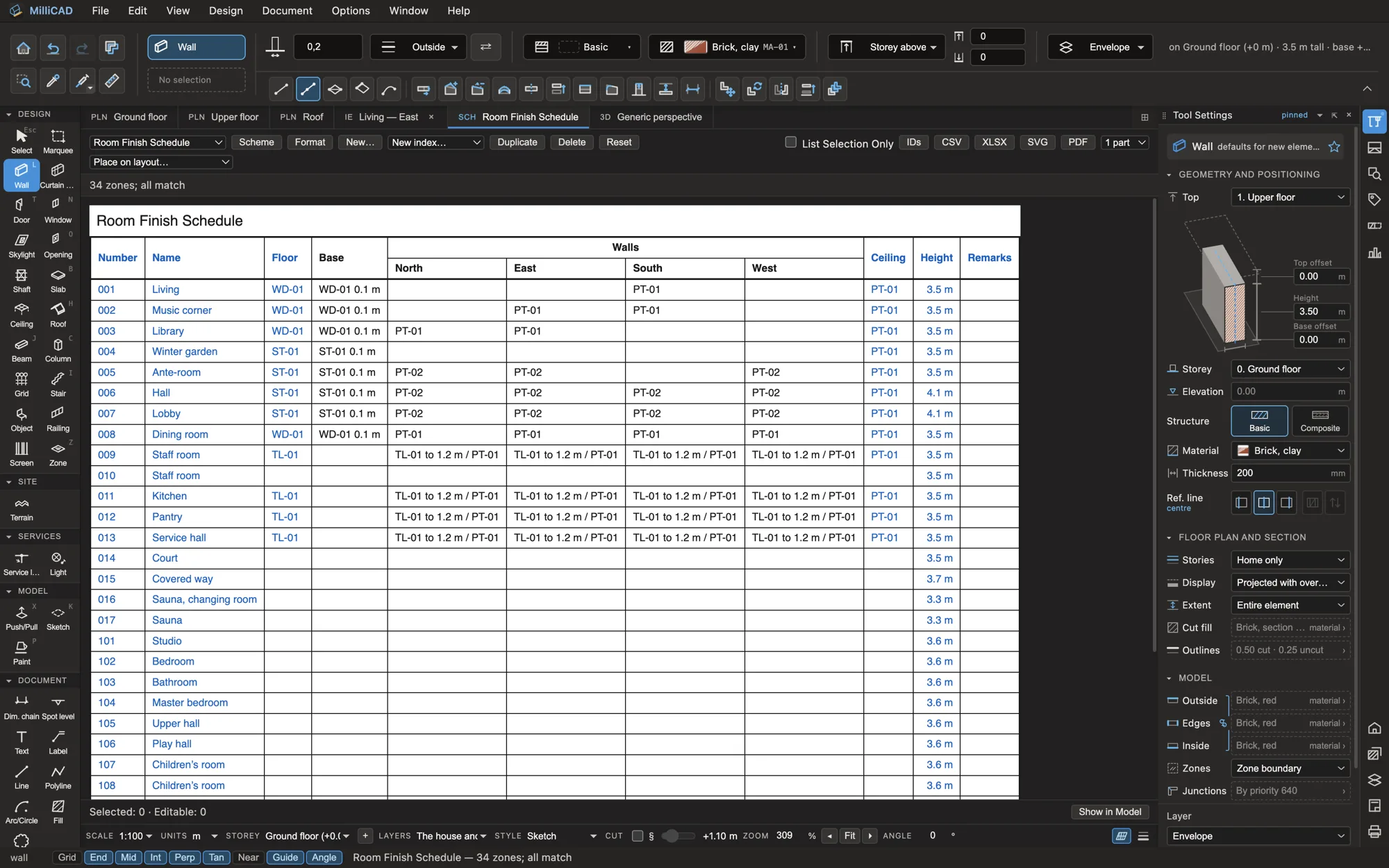
Give each room its floor, base, wall bands and ceiling from your office’s coded finishes (PT-01, TL-01, WD-01 …). The finishes paint the model in 3D, sections and elevations, stay on their walls when the room changes, and come out as finish plans and schedules with areas less the openings.
- Coded finishes from your own prefix table
- Floor and wall finish plans, with a finish legend and coded transitions
- Room Finish Schedule and Finish Schedule, with quantities
- Pick up a room’s finishes and apply them to another
02
FF&E
Furniture, fixtures and equipment
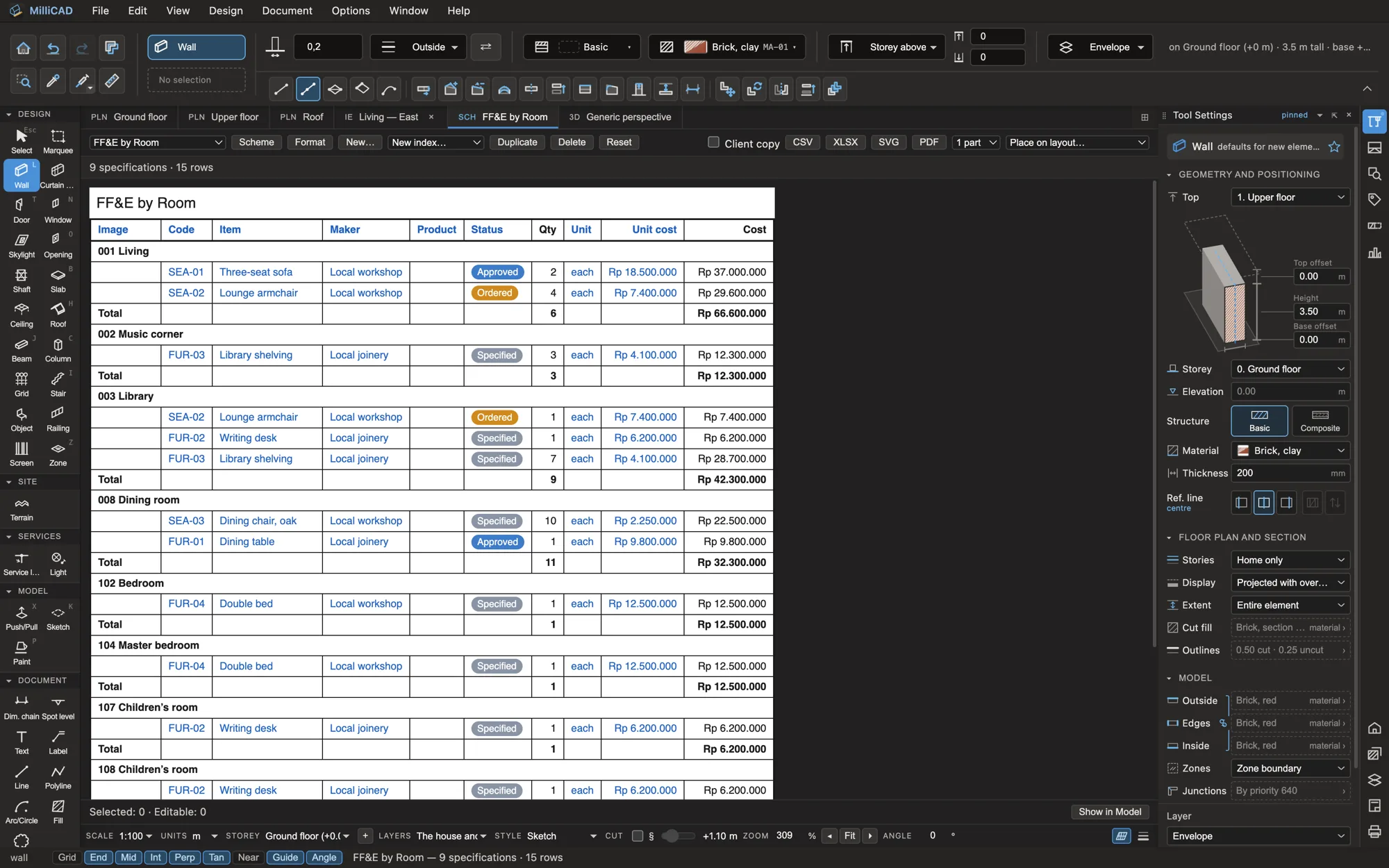
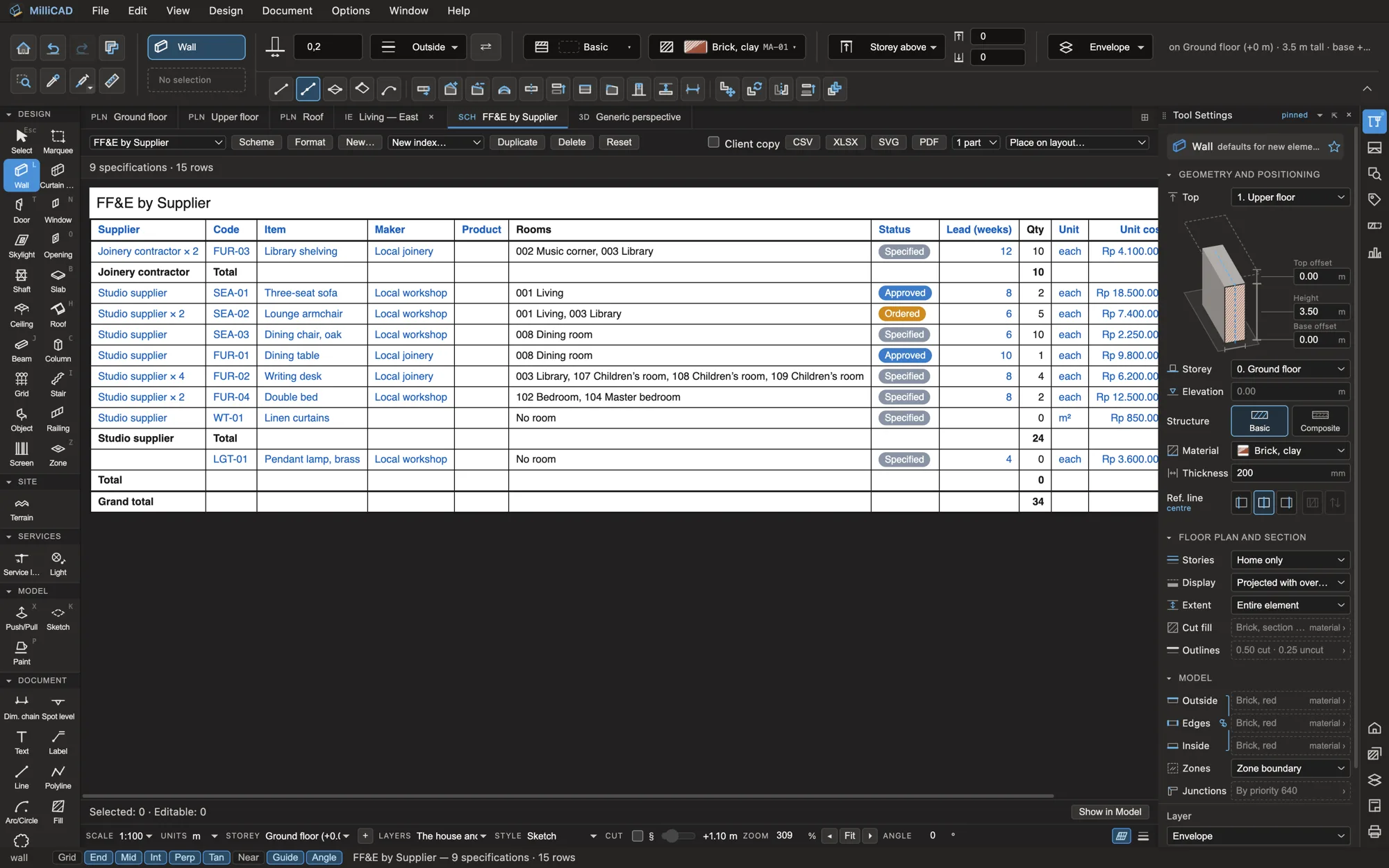
Specify furniture, lighting and equipment once, with a code, maker, supplier, status, lead time and cost in rupiah or any currency, and place it in the model. Schedules group it by room or by supplier with pictures and totals, and a client copy leaves the costs out.
- Codes by prefix: SEA-01, LGT-01, FUR-01 …
- Statuses from Specified to Installed
- FF&E by room and by supplier, out to XLSX
- FF&E labels on plans, with counts
03
Furniture drawings
Elevations and plans
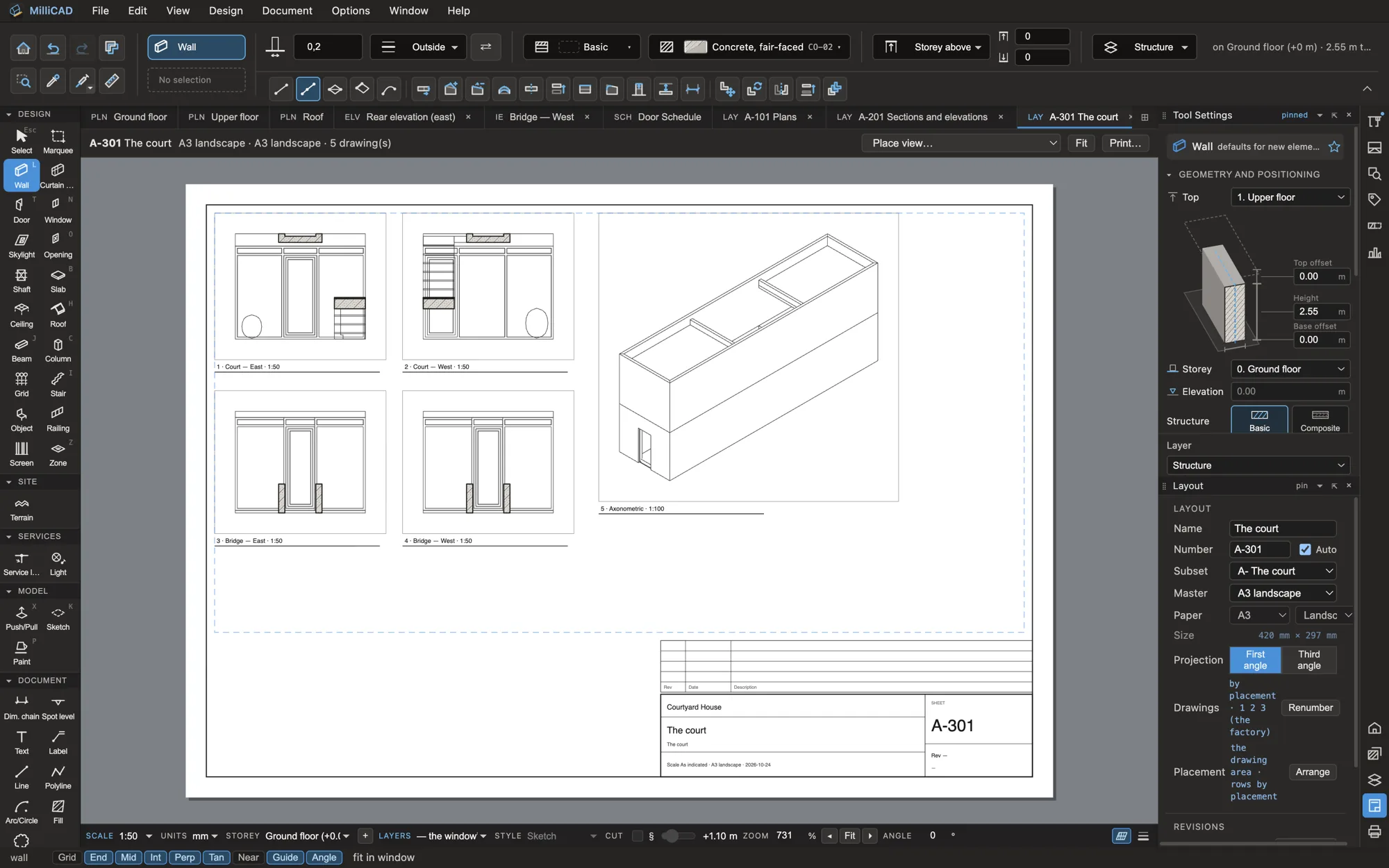
Make a room’s interior elevations in one step, one per wall, named by the room and the compass and labelled with their finish bands. Place furniture from the object library or your own models, label it, and lay the drawings out on sheets.
- Interior elevations per room edge, re-made when the room changes
- An object library, plus glTF, OBJ, 3dm and IFC furniture
- Ceilings with types, tile grids and reflected ceiling plans
- Sheets with your title block, issued with revisions
Casework
Joinery, from board to cut list.
Millwork boards and cut lists are in the alpha today. The cabinet engine, cabinet runs and shop drawings are coming.
- Boards and edge bandsIndonesian multipleks boards in the regional library
- PanelsExtrude as board keeps a panel’s thickness
- Cut listIdentical parts merged, cut sizes less the edging, sheets to buy
- Cabinet engineCabinets built from rules coming
- Cabinet runsRuns along a wall, with fillers and ends coming
- Shop drawingsCabinet drawings for the workshop coming
For interior studios
Run your next interior in MilliCAD.
We’re looking for interior and architecture studios in Indonesia and Southeast Asia to shape the beta with us.